Gmail Email Tracker
Watches a Gmail inbox and records every incoming message as a structured row in Google Sheets — no manual copying.
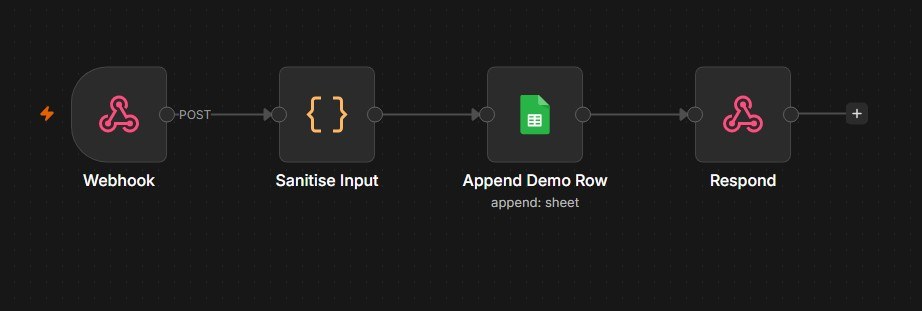
The production workflow reads a private Gmail inbox and cannot be exposed. The live demo below runs a separate webhook workflow on the same n8n instance, writing to a throwaway sheet.
The problem
Tracking incoming email by hand means opening each message, copying the sender, subject and date into a spreadsheet, and doing it again tomorrow. It is tedious, easy to forget, and the data drifts out of date the moment you stop.
This workflow removes the manual step entirely. New mail arrives, and within a minute it is a row in a spreadsheet — consistently formatted, every time.
How it works
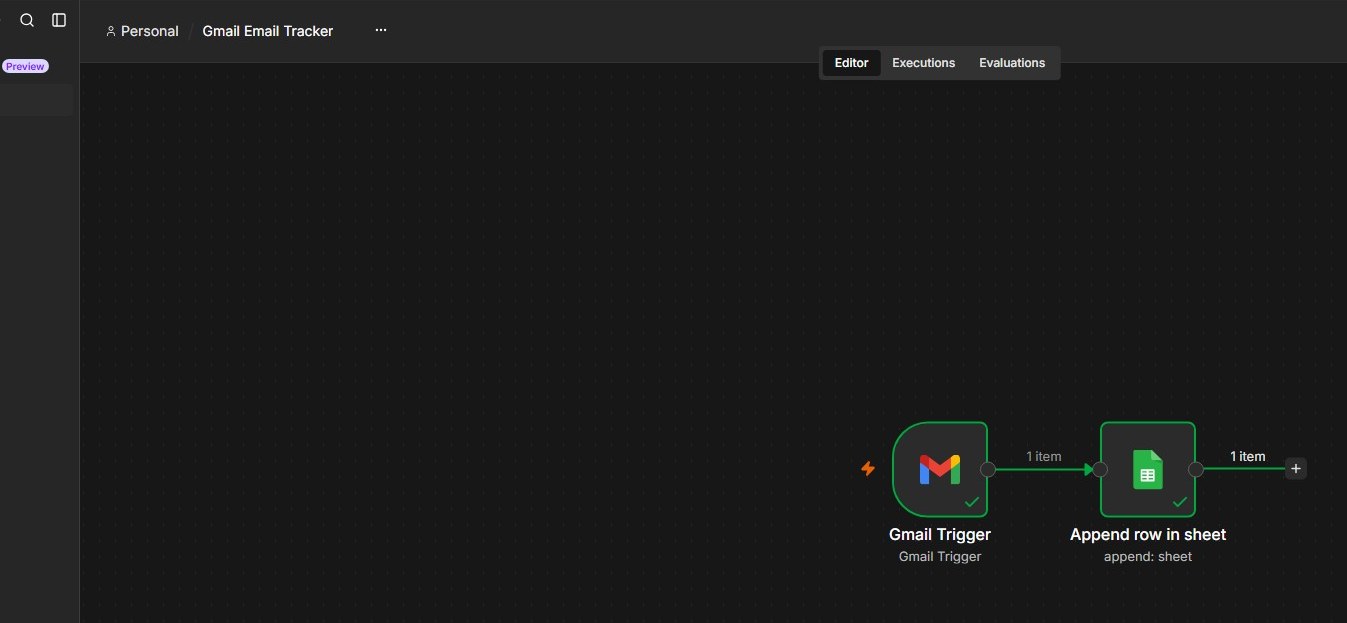
1 · Gmail Trigger
An n8n Gmail Trigger node polls the connected inbox once a minute using OAuth 2.0. When it finds messages it has not seen before, it emits one item per message — each carrying the full Gmail message payload.
2 · Append Row in Sheet
A Google Sheets node receives each item and appends it to the tracking spreadsheet. Field mapping is defined explicitly rather than auto-matched, so the column order stays stable even if the incoming payload changes shape:
| Column | Source expression |
|---|---|
| Date | DateTime.fromMillis(Number($json.internalDate)) |
| Sender | $json.From |
| Subject | $json.Subject |
| Preview | $json.snippet |
| Message ID | $json.id |
| Status | "New" (literal) |
The date arrives from Gmail as internalDate — epoch milliseconds — and is
reformatted to yyyy-MM-dd HH:mm:ss in the container timezone, so the
spreadsheet reads naturally rather than as a raw integer.
Result
An email arrives:
From:    "Darla • Funnels Mastery Academy" <hello@digitallydarla.com>
Subject: [3DFC] We are closing at 12 PM!
Preview: Last chance to join! ...
Within a minute the sheet has a new row:
| Date | Sender | Subject | Status |
|---|---|---|---|
| 2026-08-19 09:14:22 | Darla • Funnels Mastery Academy | [3DFC] We are closing at 12 PM! | New |
Try it yourself
The workflow above reads a private inbox, so it cannot be opened up. This form calls a separate demo workflow on the same n8n instance — a webhook trigger feeding the identical Google Sheets node, writing to a throwaway spreadsheet. Submit it and a real n8n execution runs.
| Date | Sender | Subject | Preview | Message ID | Status |
|---|---|---|---|---|---|
Authentication
Both nodes authenticate through OAuth 2.0 against a Google Cloud project with the Gmail API and Google Sheets API enabled. Credentials live inside the n8n instance, encrypted at rest — never in the repository.
Deployment
The workflow runs on a self-hosted n8n instance rather than a laptop, so the poll continues whether or not any machine is awake.
| Layer | Choice |
|---|---|
| Host | AWS EC2 (Ubuntu 22.04, ap-southeast-1) |
| Runtime | Docker Compose, official n8n image |
| Binding | 127.0.0.1:5678 — loopback only |
| Ingress | nginx reverse proxy, WebSocket upgrade enabled |
| TLS | Let’s Encrypt via certbot, auto-renewing |
| Persistence | Docker named volume for the n8n data directory |
The container binds to loopback rather than 0.0.0.0, so port 5678 is
unreachable from the internet regardless of what the security group permits — nginx
is the only path in. The reverse proxy forwards Upgrade and
Connection headers, which the n8n editor requires to stream execution
results over WebSocket.
What I would add next
- Duplicate detection, so an overlapping poll window cannot write the same message twice
- Category tagging based on sender domain or subject patterns
- Error branch with a notification when the Sheets append fails
- Nightly backup of the n8n volume to S3
Source
Workflow JSON and setup instructions: github.com/heartChip16/n8n-gmail-email-tracker